
Comparison · 2026-10-19
Online PDF to Excel Converters: What You Give Up
Is an online pdf to excel converter safe? Look at one sentence on the page of Adobe's free online converter. It says: "Your file will be securely handled by Adobe servers and deleted unless you sign in to save it." I am quoting it because it states, in one line, what every online converter asks first: that your file go to someone else's server.
Here is the sequence, in order. You choose the file. Your browser sends a copy to the converter's server. Software there reads the PDF and builds the spreadsheet. You download the result. The second step is the one that matters, because after it a copy of the whole document exists somewhere you cannot look. It is not only the table you wanted. It is every page, with whatever is printed in the headers and margins.
A sentence on a page is a promise. That one sits on Adobe's PDF to Excel page. I can read it, and I cannot audit it from my Mac. That is not an accusation against anyone. It is the limit of what any user can know about a server, and it applies to every service of this kind. So I stopped asking whether a given converter is trustworthy and started asking what the document says about me.
That gives a rule. A public annual report says nothing about you, so upload it wherever you like. A bank statement, a salary slip, a tax form and a signed contract say a great deal. My rule is that anything with an account number in it never goes up.
My own reason for building PDFTrail was reading Indian annual reports with a language model while keeping those files on my Mac. Public filings are the easy case for an upload. I wanted the local route anyway, so that the habit would not depend on judging each file under pressure.
What the upload asks of you
Three things, and none of them is hidden.
- The file leaves your Mac. A copy of the whole PDF sits on a third-party server for however long that service keeps it.
- You rely on a promise. The page tells you how the file is handled. You can read that, and you cannot check it.
- You need a connection. With Wi-Fi off, there is nothing to upload to.
None of this makes an online converter a bad tool. It is a tool with a price, and the price is the file.
When an online converter is fine
Use one for a document you would post on a forum. A public filing, a product spec, a menu, a form with no personal fields filled in. For those, the upload costs you nothing, and a free web page is the quickest route.
Judge a bundle by its most sensitive page. A PDF that mixes a public table with one page of personal details goes up as a whole, so it is a personal file. If you cannot say what every page contains, treat the file as personal.
Sort a folder the same way. The public files can take either route. The rest stay on your machine.
Whichever route you take, check the spreadsheet against the page. That advice has nothing to do with uploads. A PDF stores positioned text fragments, not a table, so every converter, online or local, has to work out the rows and columns. Count the rows. Compare a few figures. Do it every time.
Is an online PDF to Excel converter safe? The on-device route
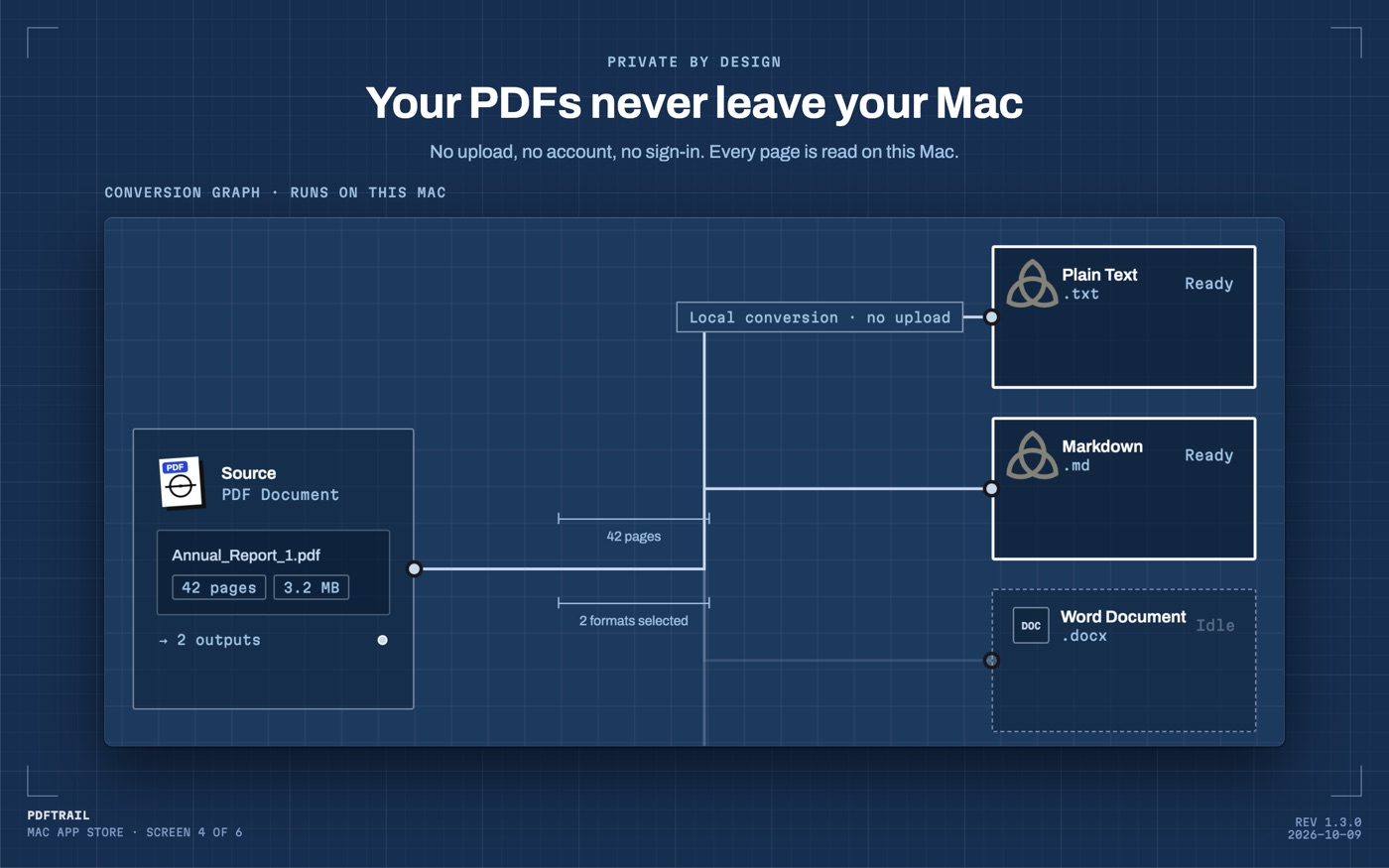
PDFTrail is my app, and it exists for the files I would not upload. It runs on the Mac. A downloaded statement is a born-digital PDF, so the text is read directly from the file, with the position of every character. A scanned page gets OCR on the Mac instead. Nothing leaves the machine, and nothing needs the internet.
It has costs of its own, and you should know them. It needs an Apple Silicon Mac on macOS 12 or later. It is free to try, with 10 free Excel exports. After those, Excel export keeps the first 15 rows of each table until you buy the $24 one-time unlock. There is no subscription and no account.
- Click Open PDF and select the file in the dialog. Select several to convert them in one run.
- Choose Excel under the output formats and press Convert. There is no upload step, so there is nothing to wait for on a network.
- When the run ends, check the tables in Table Review. Any page that was partly read or not read brings it up automatically, and the Review tables button opens it whenever you like.
- A wrong table gets fixed in the grid editor. Accept and re-export writes the files again.
- Open the .xlsx.
For the longer argument about uploads, I wrote a separate piece on extracting tables without uploading. If you want the other routes side by side, the comparison of seven tools lays them out. The basic Mac route is in the PDF to Excel guide.
Why checking still matters
Running locally removes one risk. It does not remove the need to look at the result. A table that is read wrongly is still wrong, whether the work happened on your Mac or on a server you cannot see.
That is why the check sits after the conversion. The files exist, and you can open them as they are. Table Review shows each table beside its page, so you can compare the two with your own eyes before you rely on the sheet.
Back to the sentence
The sentence on that page is clear about the deal. For a menu, take the deal. For a statement, I don't.
Ask what the file says about you before you pick it.
FAQ
Is an online PDF to Excel converter safe?
It depends on the document. A public report carries little risk on a server you do not know. A statement with an account number does carry risk, and I keep those files on my own Mac.
What does an online converter need from me?
It needs the PDF itself. You upload the file to a third-party server, and the conversion happens there, not on your computer.
Can I convert a PDF to Excel without uploading it?
Yes. PDFTrail converts on your Mac, with no upload, no account and no internet connection needed.
Is PDFTrail free?
It is free to try, with 10 free Excel exports. After those, Excel export still works but keeps the first 15 rows of each table. The full version is a $24 one-time unlock, no subscription.
Related guides
- PDF to Excel on Mac: 7 Tools Compared Honestly
- Excel for Mac Has No From PDF Import: What to Do Instead
- Tabula vs PDFTrail: Extract PDF Tables on a Mac
- camelot and pdfplumber vs a Mac App for PDF Tables
- Adobe Acrobat Export PDF to Excel vs On-Device on Mac
Get PDFTrail
PDFTrail is on the Mac App Store — download it, try it on your own file, and pay only if it earns its keep.
GET PDFTRAIL — MAC APP STORE