
For macOS · Apple Silicon · Works offlineVersion 1.3.0 · 2026-10-10
Pull the data out of your PDF without sending it anywhere.
PDFTrail extracts tables and text on-device — no upload, no account — into Excel, Word, Markdown, or JSON, with structure kept intact. Buy once for $24. No subscription, ever.

One PDF in · five formats out
Detail 01
Tables hold their shape
Balance sheets, P&L, cash flow, notes to accounts — rebuilt as clean rows and columns. Scanned pages included: on-device OCR reads the page and rebuilds the table.
Detail 02
Fully offline, by design
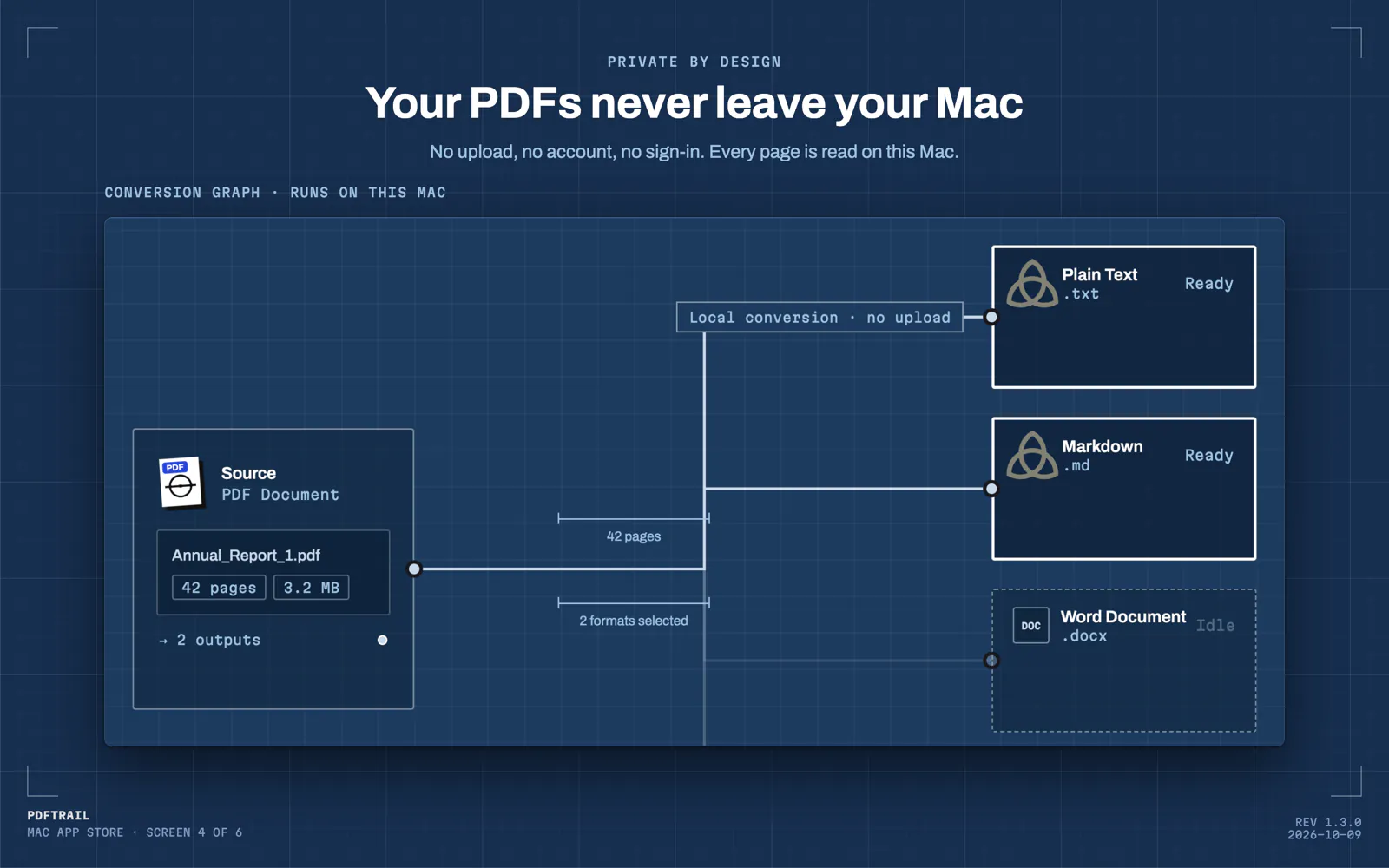
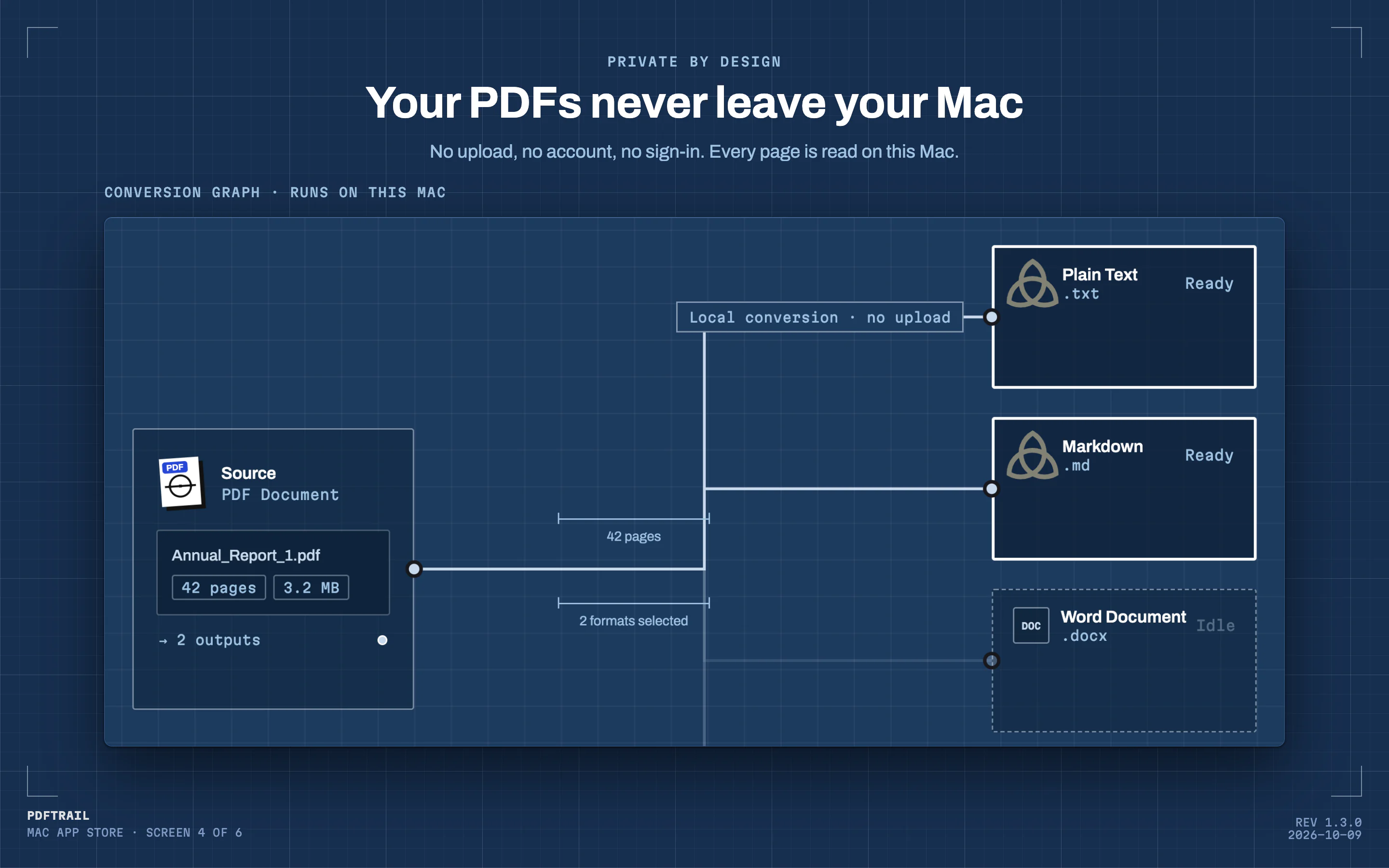
No network calls to process your files. No account, no analytics, no data collection of any kind. A client’s annual report or a draft filing stays on your Mac.
Detail 03
Ready for your LLM
Clean Markdown your model ingests without cleanup, Excel your analysis can trust, structured JSON blocks. Preview every table on screen before you export anything.
Field film · PDF in, tables out
Field story · A day of PDFs
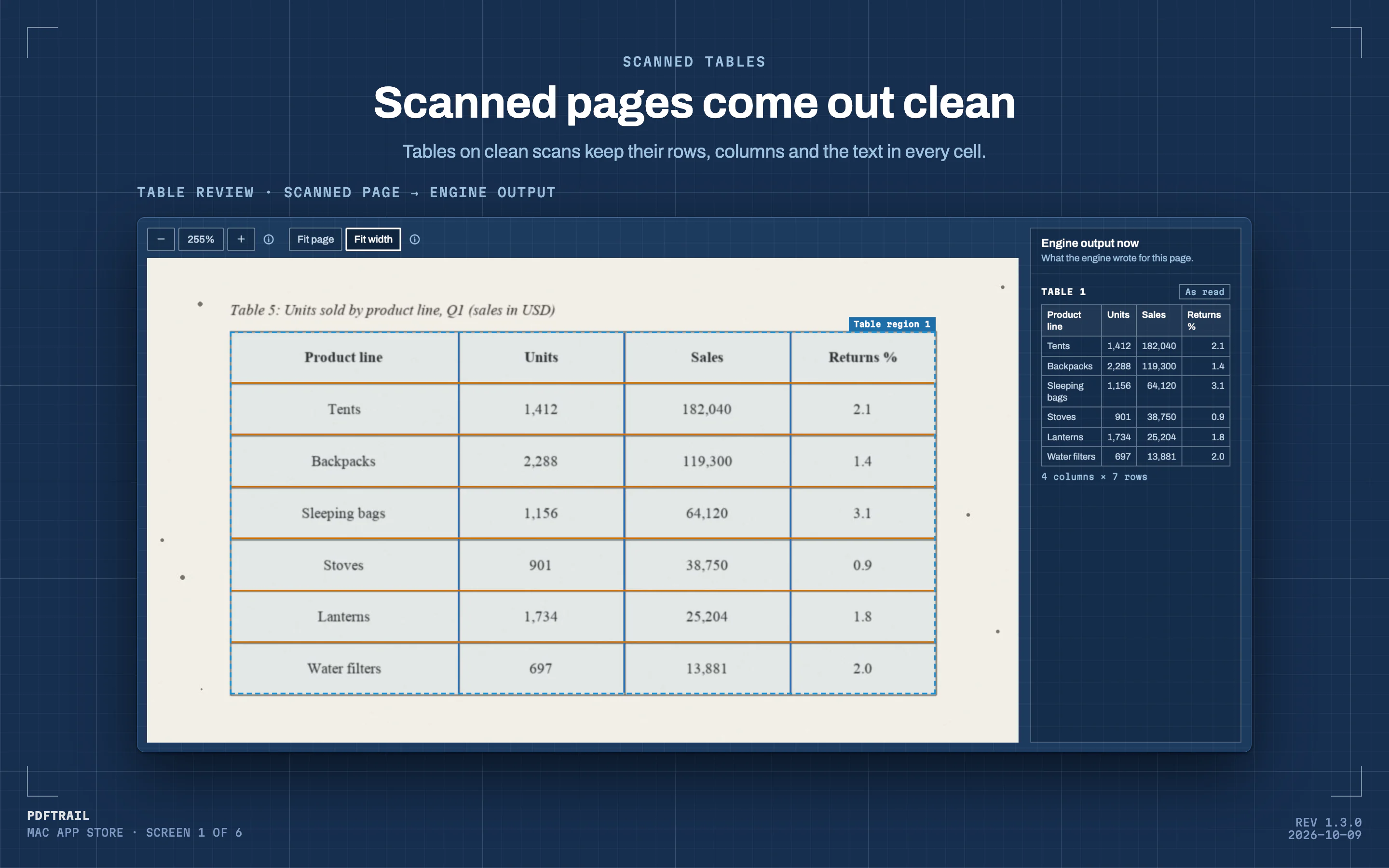
Detail 01 · Scanned tablesFull size
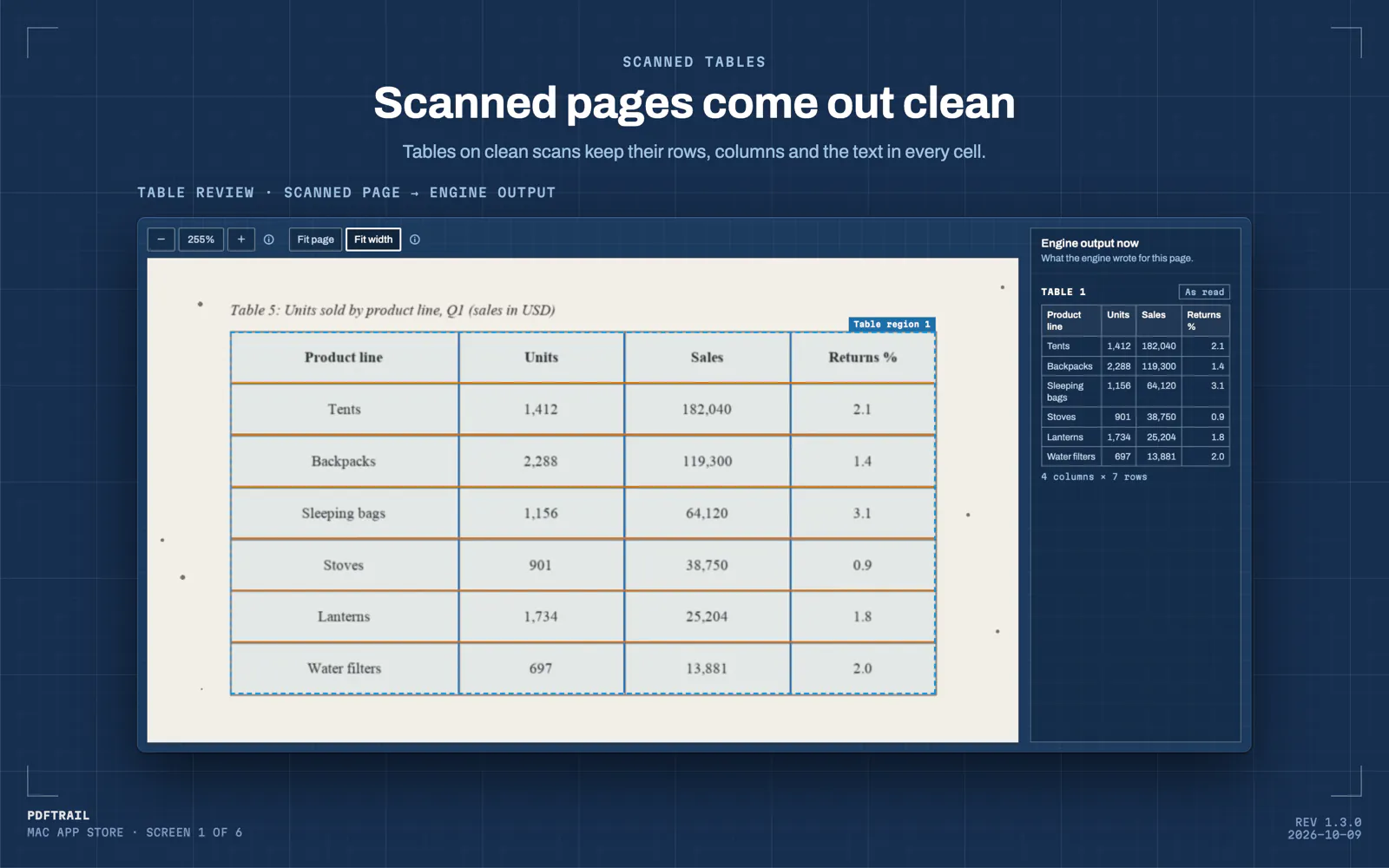
Tables on clean scans keep their rows, columns and the text in every cell.
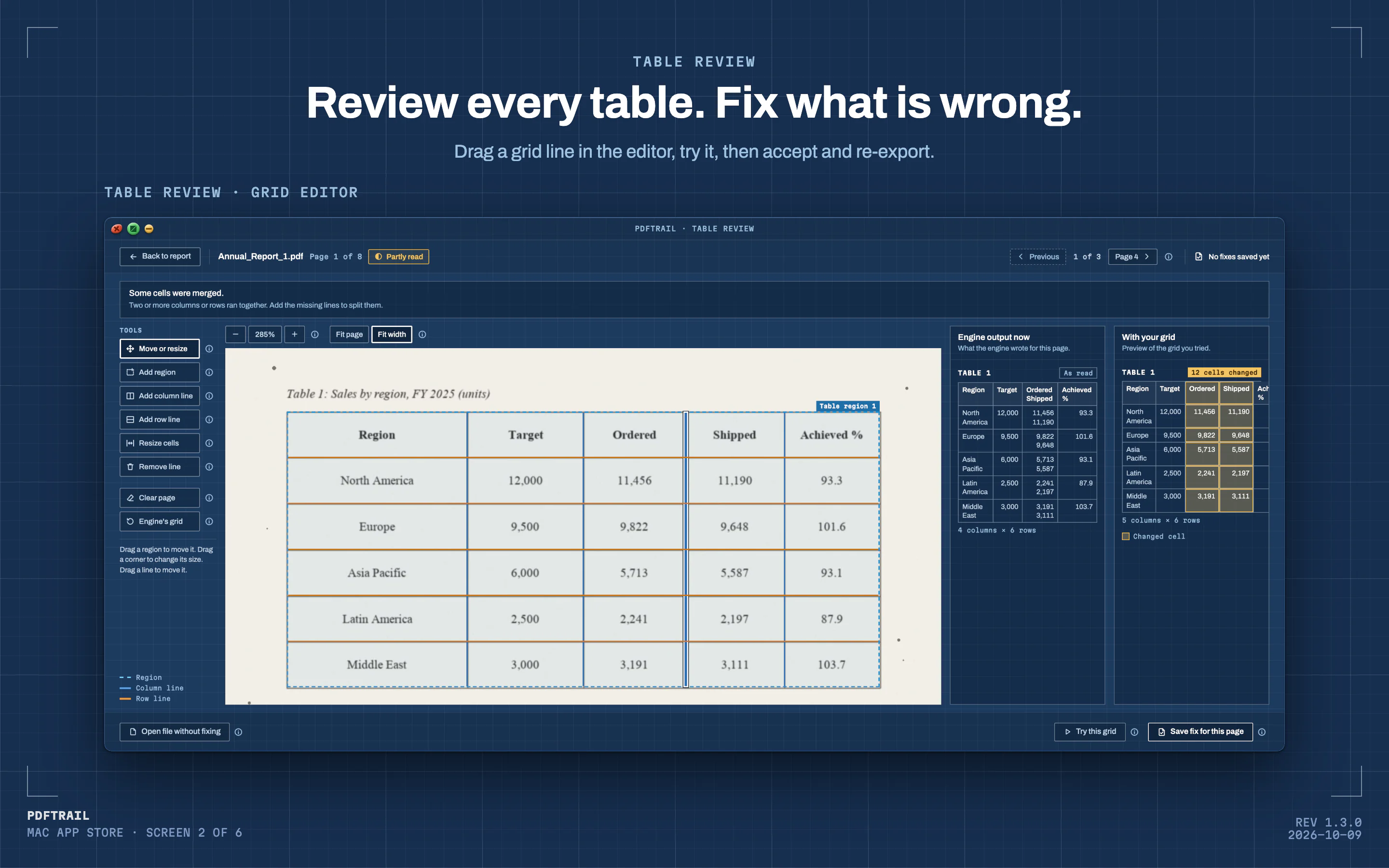
Detail 02 · Table reviewFull size
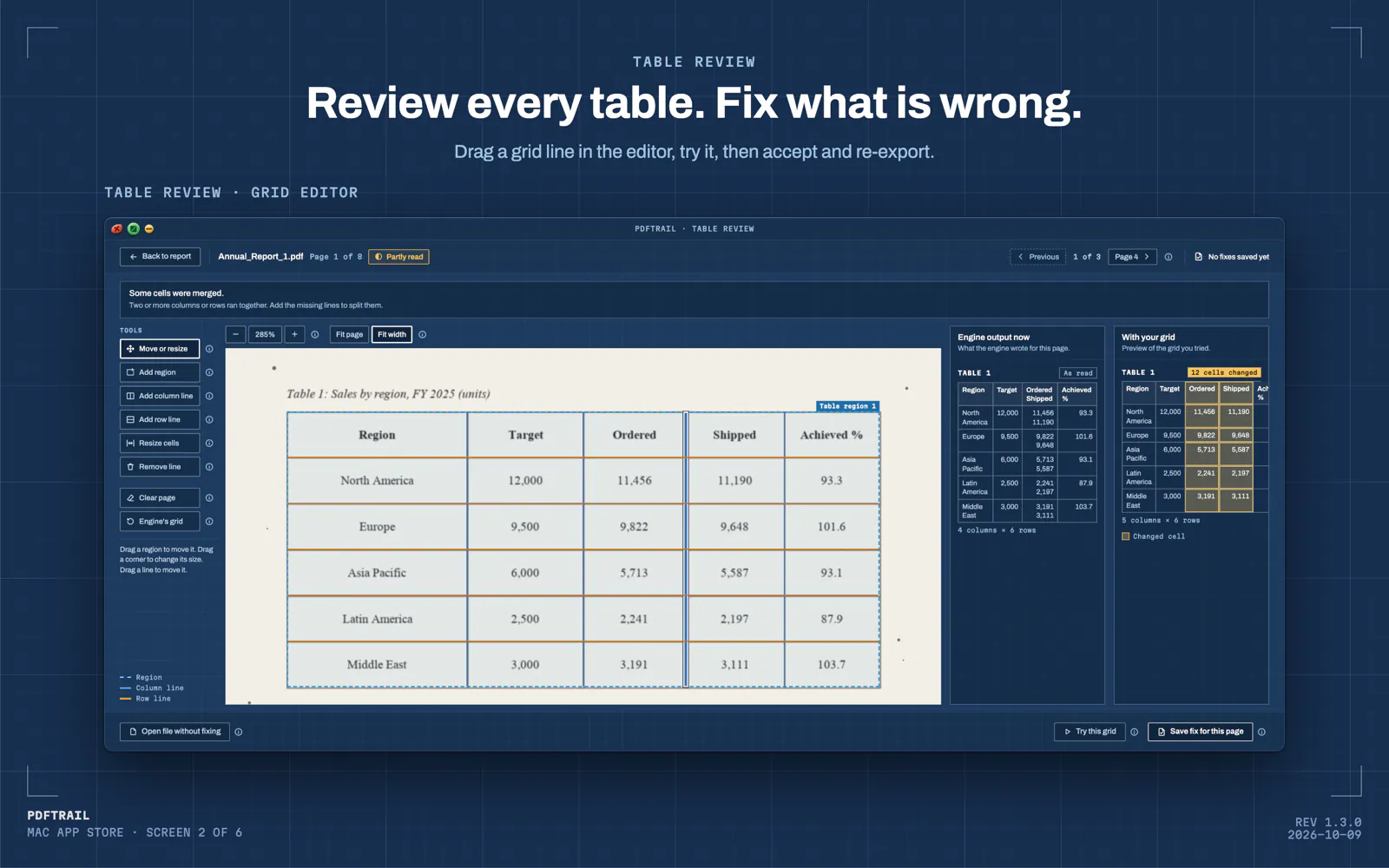
Drag a grid line in the editor, try it, then accept and re-export.
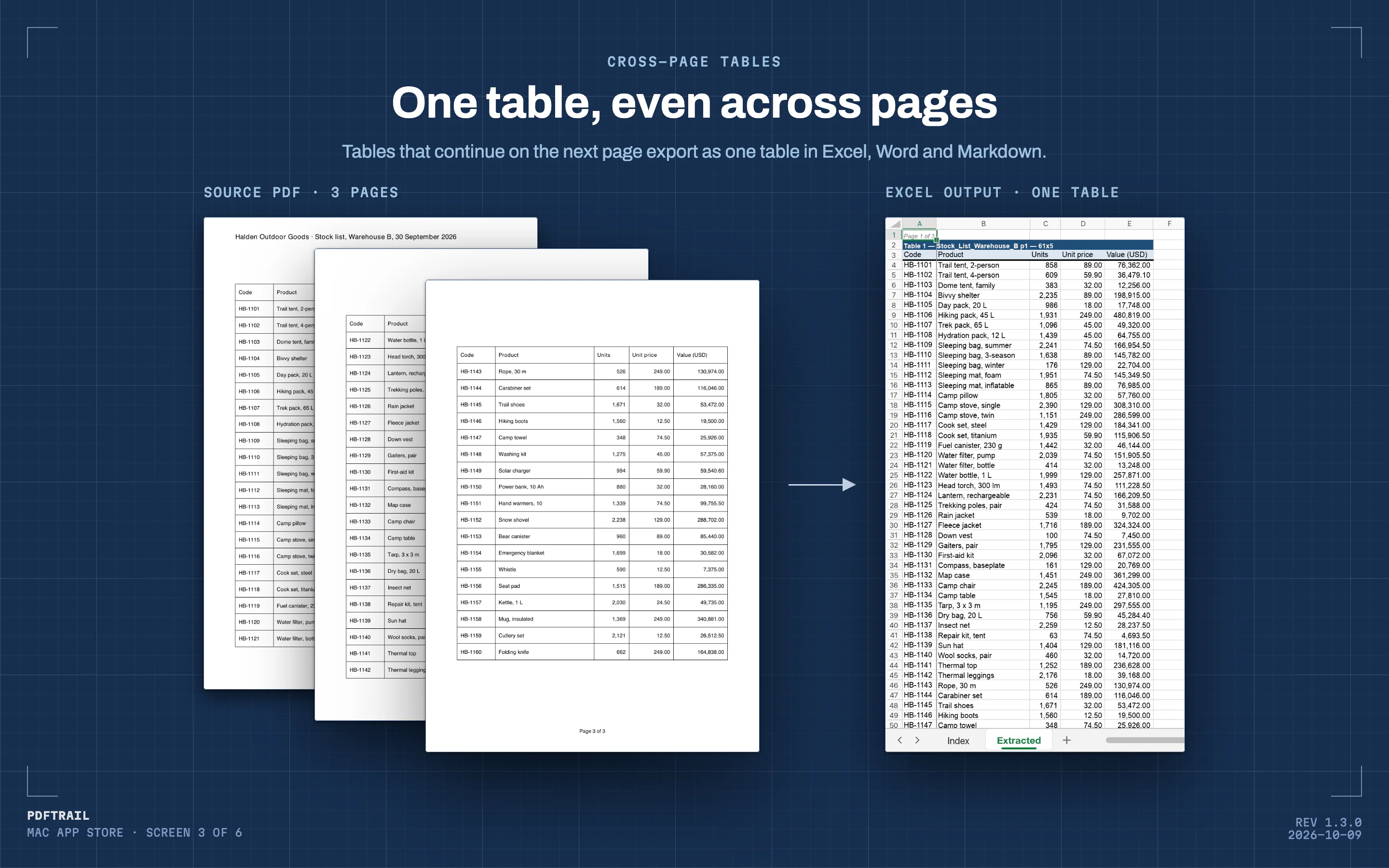
Detail 03 · Cross-page tablesFull size
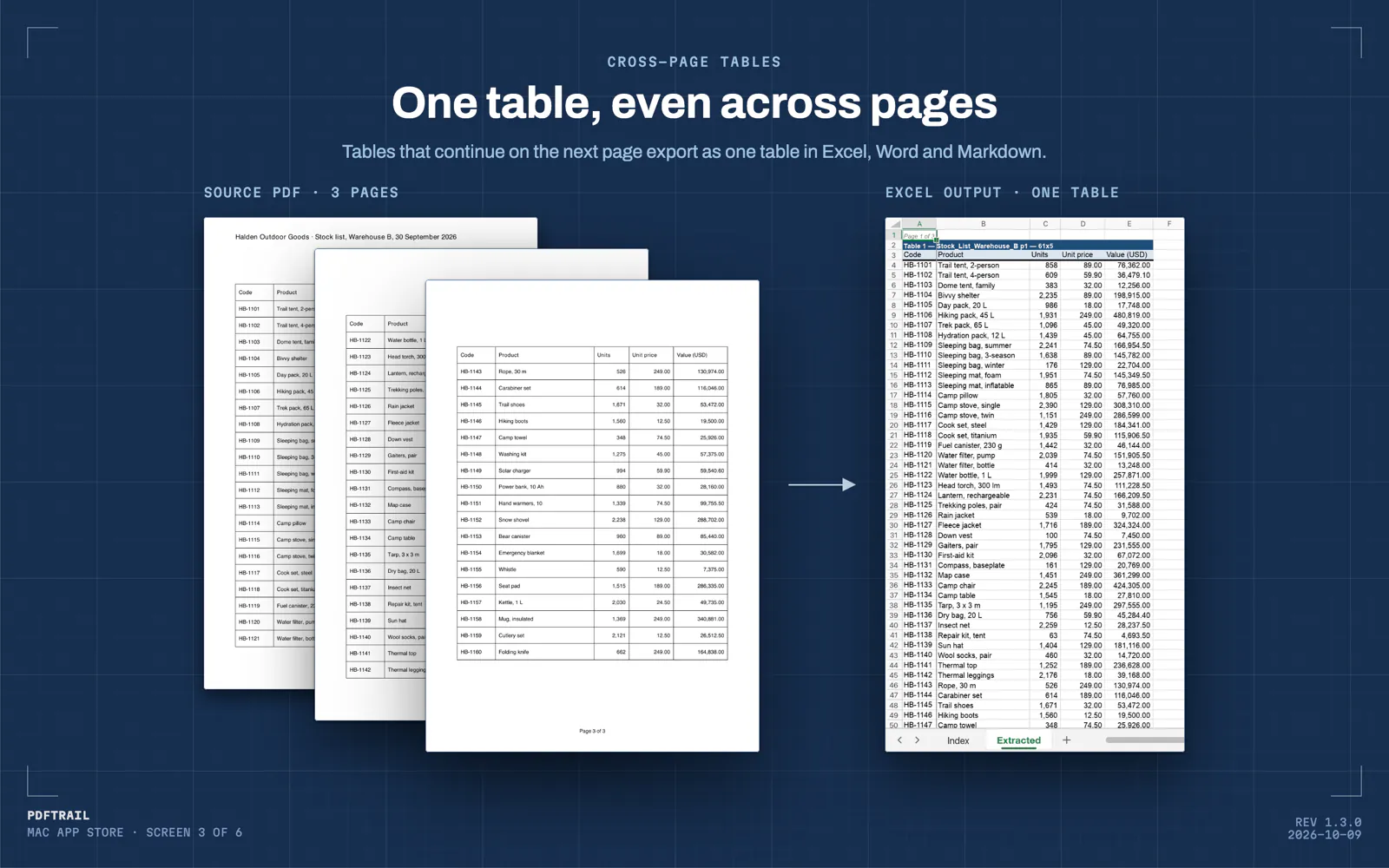
Tables that continue on the next page export as one table in Excel, Word and Markdown.
Detail 04 · Private by designFull size
No upload, no account, no sign-in. Every page is read on this Mac.
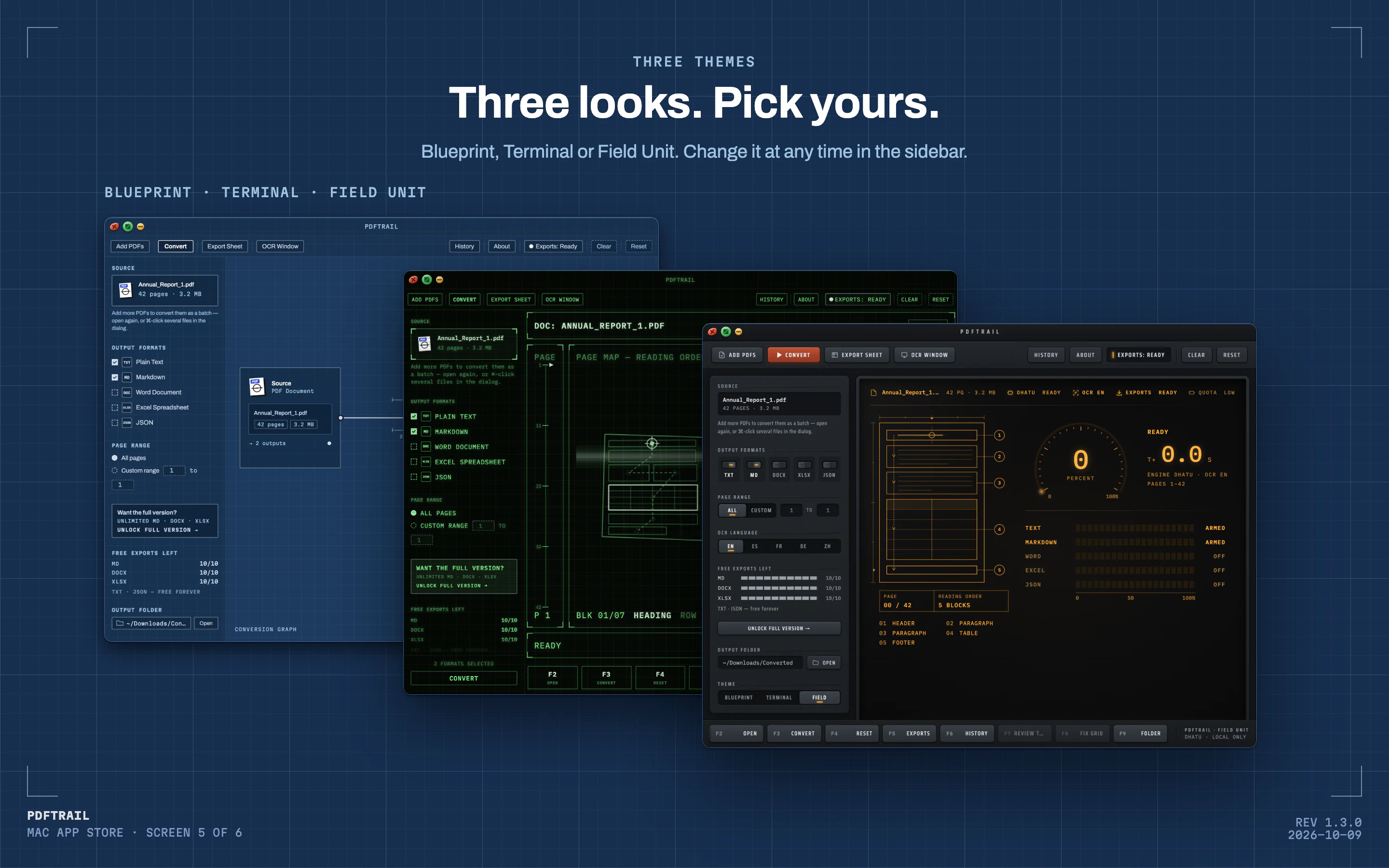
Detail 05 · Three themesFull size
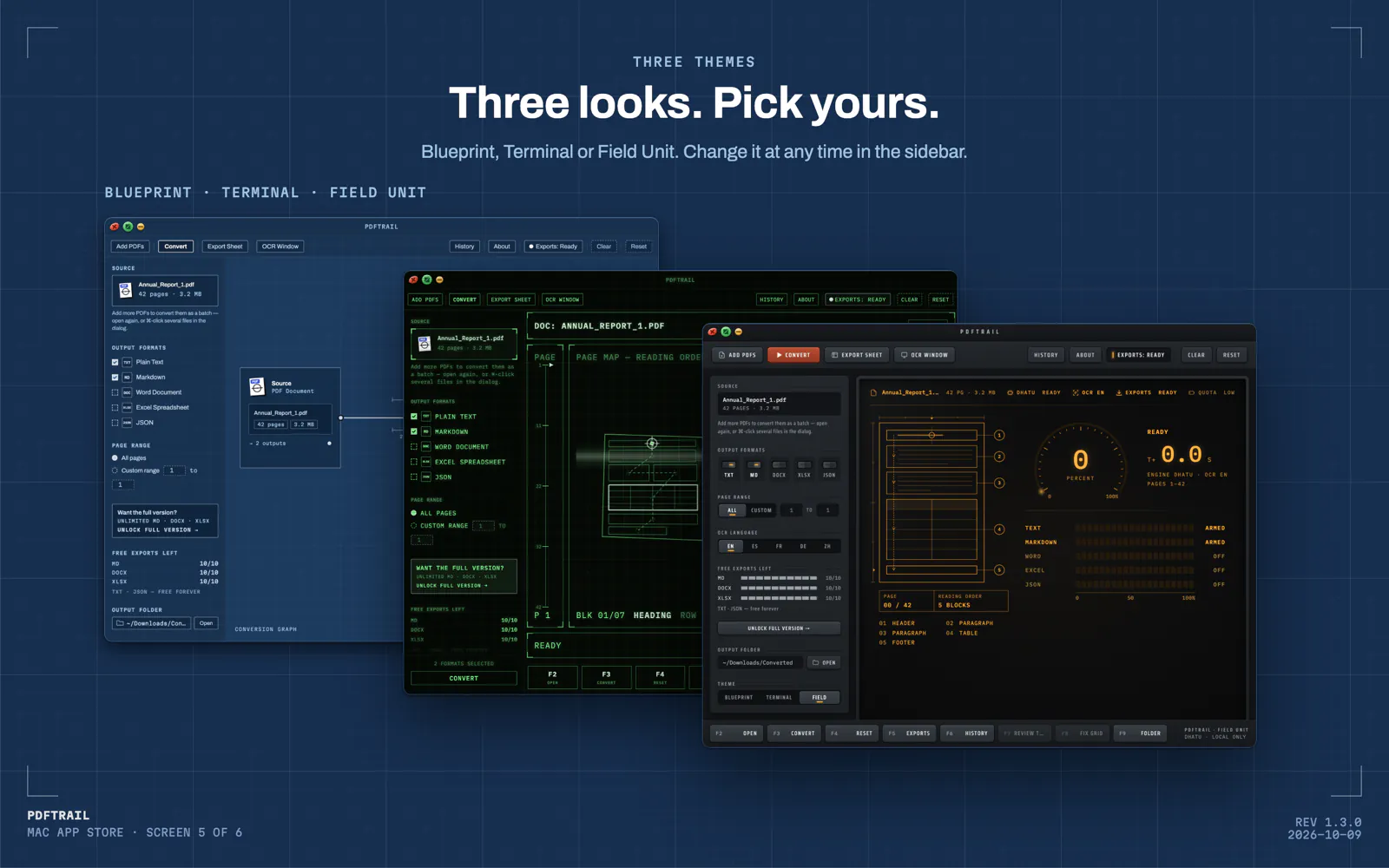
Blueprint, Terminal or Field Unit. Change it at any time in the sidebar.
One table across pages
When a table continues on the next page, PDFTrail joins the pieces into one table in Excel, Word and Markdown. A row cut by the page break becomes one row again.
Table Review · grid editor
After a conversion, Table Review shows each table found. If a table is wrong, drag its grid lines into place, then accept it. Or open the file as it is.
Cleaner scan text
PDFTrail keeps far more of the words on a scanned page and drops repeated ones. Tables on clean scans keep their rows, columns and cell text.
Three themes
Choose Blueprint, Terminal or Field Unit. Change the look at any time in the sidebar.
Also in 1.3.0: older fax PDFs open, watermarked downloads are read, and the sidebar shows how many free exports you have left for each format.
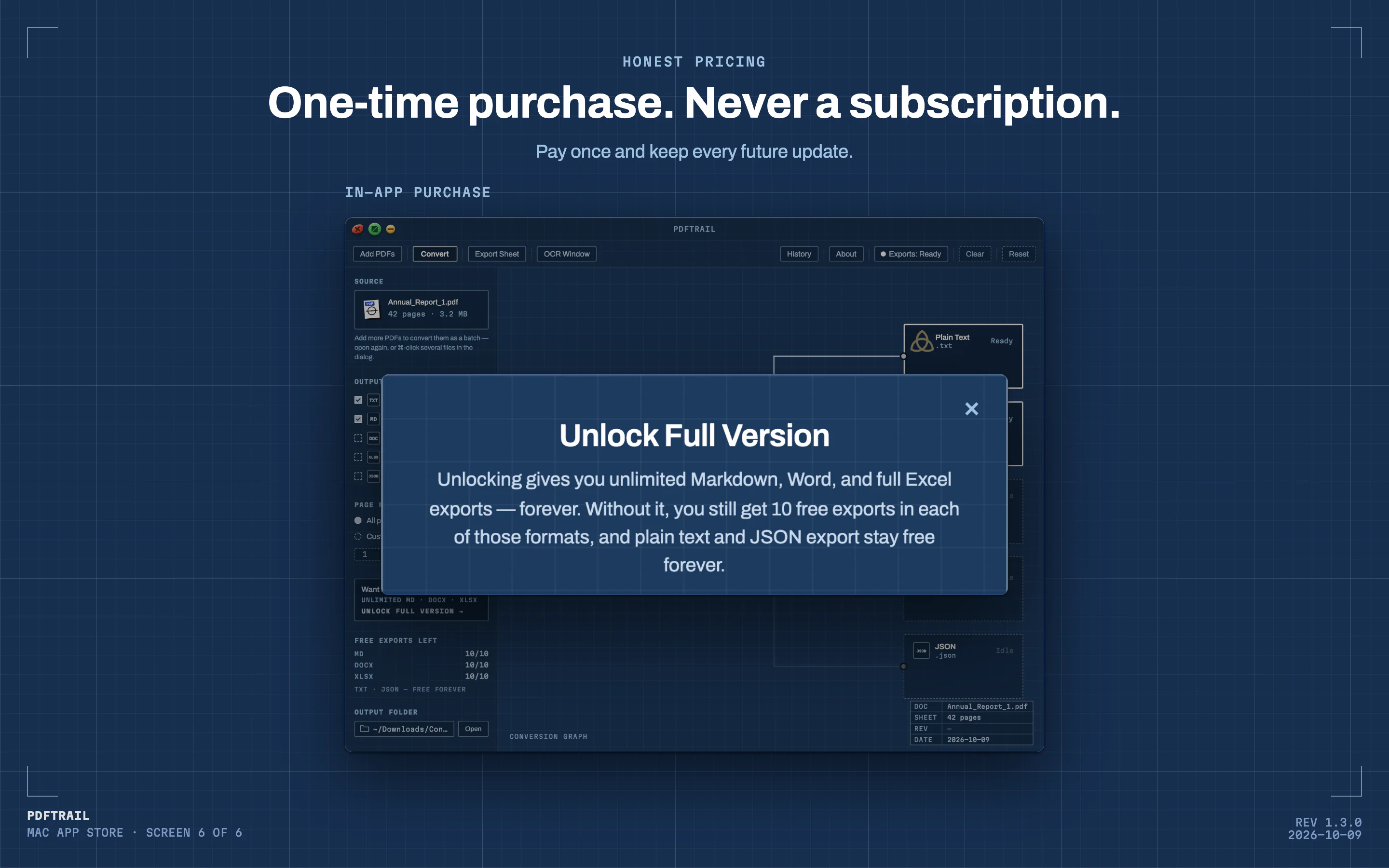
Free · forever
- Unlimited conversions and on-screen table review
- Unlimited OCR on scanned pages
- Unlimited plain text (.txt) and JSON export
- 10 full exports each for Markdown, Word and Excel
- After that, Excel export keeps the first 15 rows of each table
- Bundled sample annual report with no limits at all
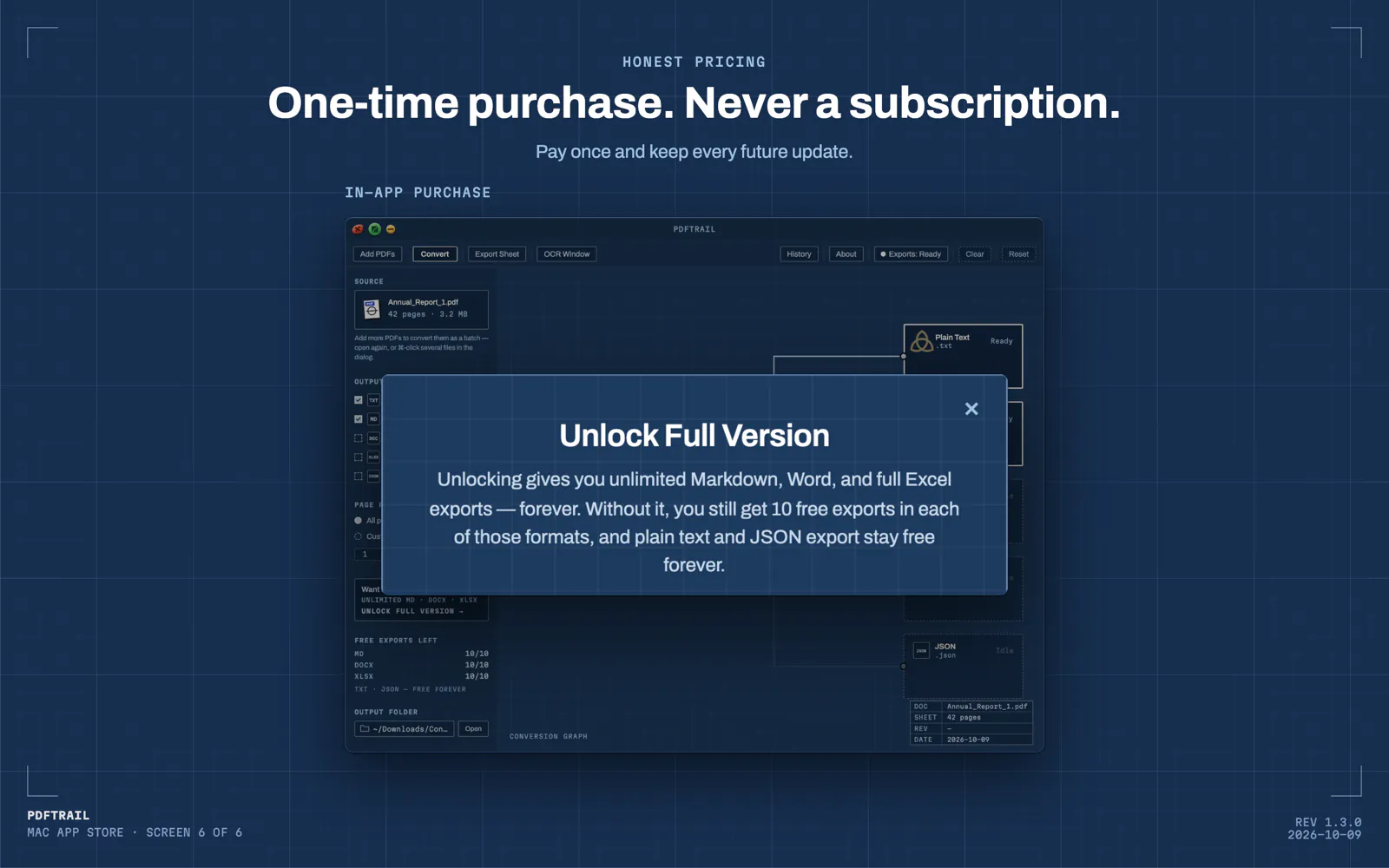
Unlock full version
$24
One payment · no subscription
- Full Excel export, no row limit, every table
- Unlimited full Markdown and Word exports