
Field guide · 2026-09-26
HDFC Bank Statement PDF to Excel on Mac
Suppose the folder is named for the financial year, FY 2025-26, and inside it sit twelve PDFs, one HDFC statement per month, saved the day each one posted. You want them behind an income tax return this year, the transactions backing whatever the return claims. Turning one HDFC bank statement PDF to Excel is a small job. Turning twelve of them into a single set of numbers you could defend to an assessing officer is a different job, and the difference is not the conversion. It is what you check once the twelve sheets exist.
Opening each file and typing its rows into one running sheet gets slower with every month you add, and a transposed digit in month four stays invisible until the annual total refuses to add up. Uploading each statement to a converter site sends your account number and a year of spending to a stranger's server twelve times instead of once. Neither failure shows up while you are doing the work. Both show up later, when the figures do not match what the bank printed.
What a single HDFC statement PDF actually holds
A downloaded statement is not a table waiting to be lifted out of the file. It is a set of short text pieces, each one anchored to a position on the page: this date here, this amount a little further right. The rows look like rows because HDFC's printer lined them up well. Paste that page into a spreadsheet and the positions are gone, so every piece lands in one column, in reading order, with no sense of which piece belonged next to which.
That is true of a single statement. Stack twelve of them and the same problem repeats twelve times, plus a new one on top. Nothing inside any one file tells you whether the twelve, taken together, actually cover the year without a gap.
HDFC bank statement PDF to Excel, twelve at once
- Put all twelve statements in one folder. Mix downloaded PDFs and scanned copies if that is what you have.
- Click Open PDF. In the dialog, open the folder and select all twelve PDFs. Batch conversion works through every file in one pass.
- Let each file get read on its own terms. A downloaded statement has a text layer, so PDFTrail reads it directly. A scanned or photocopied one has no text layer, so the app runs OCR on your Mac first.
- After the conversion, check the table PDFTrail found for each statement in Table Review. Pages that were partly read or not read open it for you, and the Review tables button opens it at other times. Confirm dates sit in the date column and amounts sit in the amount columns, one statement at a time.
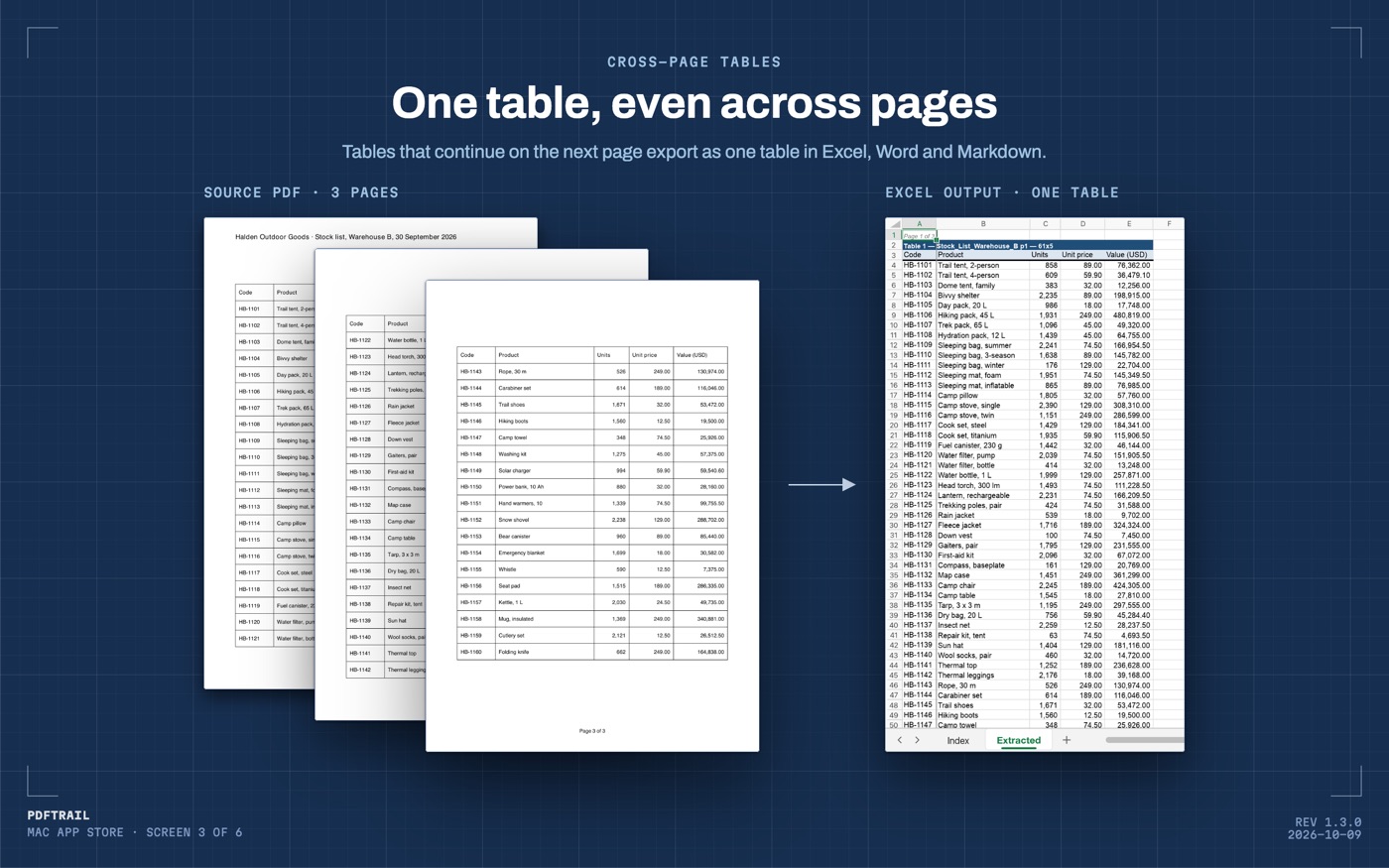
- Open the exports. By default you get twelve spreadsheets, one per statement, each carrying that month's rows and columns intact. If you turned on "Combine into one file per format", you get one workbook instead. If you fixed a table, Accept and re-export writes the files again with your fix.
Column layouts differ from bank to bank, so this walkthrough will not promise a fixed set of headers. Expect a date, a narration, separate debit and credit amounts, and a running balance; the review screen shows what your actual files contain, which matters more than what this paragraph guesses.
The check that only exists once months are stacked
A single statement can be wrong in the usual ways: a misread digit, a skipped row, a page the app could not use. Twelve statements can be wrong in one more way that never shows up inside a single file on its own.
Every HDFC statement opens with a balance and closes with a balance, and the closing balance on one month's statement is the opening balance on the next month's statement. The bank enforces that identity when it prints the pair. Nothing in a single PDF enforces it once that PDF is converted alone. Walk down the twelve sheets in month order and confirm each opening balance equals the closing balance of the sheet before it. Where that chain holds, the folder is complete between those two points. Where it breaks, a statement is missing, a page inside one PDF did not convert, or a row was misread somewhere in between. Either way, you now know exactly which pair of months to open and compare by hand.
The row count inside each sheet is worth a second look. If the statement states a transaction count for the period, set it against the row count PDFTrail wrote for the matching month. If it does not, count the entries on the printed page. Table Review shows that month's table next to its page. So a mismatch sends you back to that one pair to compare by eye, instead of a blind search across twelve files.
Back to the folder
With the balance chain unbroken across all twelve sheets, the folder stops being twelve separate conversions and becomes one year, checked at every seam. That is the shape the numbers need to back an ITR filing: not a pile of exported spreadsheets, but a continuous account from April to March with no month silently missing. The government's own portal, incometax.gov.in, is where the return itself gets filed once those figures are ready; nothing about reaching that stage needs the statements to leave your Mac first.
PDFTrail is my app, and batch conversion was built for exactly this shape of folder: many files, one task, no upload. If the folder holds statements from more than one bank, the general bank statement guide covers the same ground without assuming HDFC's layout. The SBI statement guide walks through a single file from a different bank, in more depth. The PDF to Excel hub is the wider map if neither fits.
Twelve statements, one chain of balances, no broken link. That is the whole test.
FAQ
Can PDFTrail combine twelve months of HDFC statements into one workbook?
Yes. When two or more PDFs are queued, turn on "Combine into one file per format" before you convert. Every table from the twelve PDFs lands in one workbook on your Mac, and its Index sheet shows which file each table came from.
What if some HDFC statements in the folder are scanned and others are downloaded?
PDFTrail reads each file on its own terms. A downloaded statement comes straight from its text layer; a scanned one goes through on-device OCR first, and both can be checked in Table Review after the conversion.
How do I know a month did not go missing across twelve files?
Line up each sheet's opening balance against the closing balance on the sheet before it. A break in that chain usually means a page, or a whole statement, is missing.
Do I need an internet connection to convert a folder of statements?
No. Reading the PDFs and running OCR both happen on your Mac. Nothing in the folder is uploaded.
How much does PDFTrail cost?
Free to try, with 10 free Excel exports. The full version is a one-time $24 unlock, no subscription.
Related guides
- PDF to Excel on Mac: The Complete Guide (2026)
- How to Convert a Bank Statement PDF to Excel on Mac
- SBI Bank Statement PDF to Excel on Mac
- ICICI Bank Statement PDF to Excel on Mac
- GST Invoice PDF to Excel on Mac: Batch Convert
Get PDFTrail
PDFTrail is on the Mac App Store — download it, try it on your own file, and pay only if it earns its keep.
GET PDFTRAIL — MAC APP STORE