
Field guide · 2026-10-18
Annual Report PDF to Markdown for LLM Analysis
The job I built PDFTrail for is annual report PDF to Markdown. I wanted Indian annual reports inside a language model, for fundamental analysis, and I did not want to upload them on the way. The conversion is the easy half. The trap is a table that arrives as one grey line of numbers, because the model can still answer.
An annual report is mostly numbers in tables, and a PDF has no tables. It has runs of text pinned to coordinates, and the grid you see is your eye joining the runs that line up. Copy a page and paste it into a chat box, and the coordinates stay behind. The model gets the labels and the figures in file order, with nothing to say which figure belonged to which row or which year.
Attaching the PDF instead is the other route. Claude's upload help page says that for PDFs from 101 to 1,000 pages, Claude processes text only and does not analyze visual elements. The reports in my folder run to hundreds of pages. The same page suggests dividing larger files into smaller sections. So the file gets cut either way, and I would rather choose where.
Annual reports are public filings, so privacy is a weaker argument here than it is for a bank statement. I built the app to keep them off a server anyway, and the habit stayed. The stronger reason is control. If I convert on my Mac, I read the file before the model does.
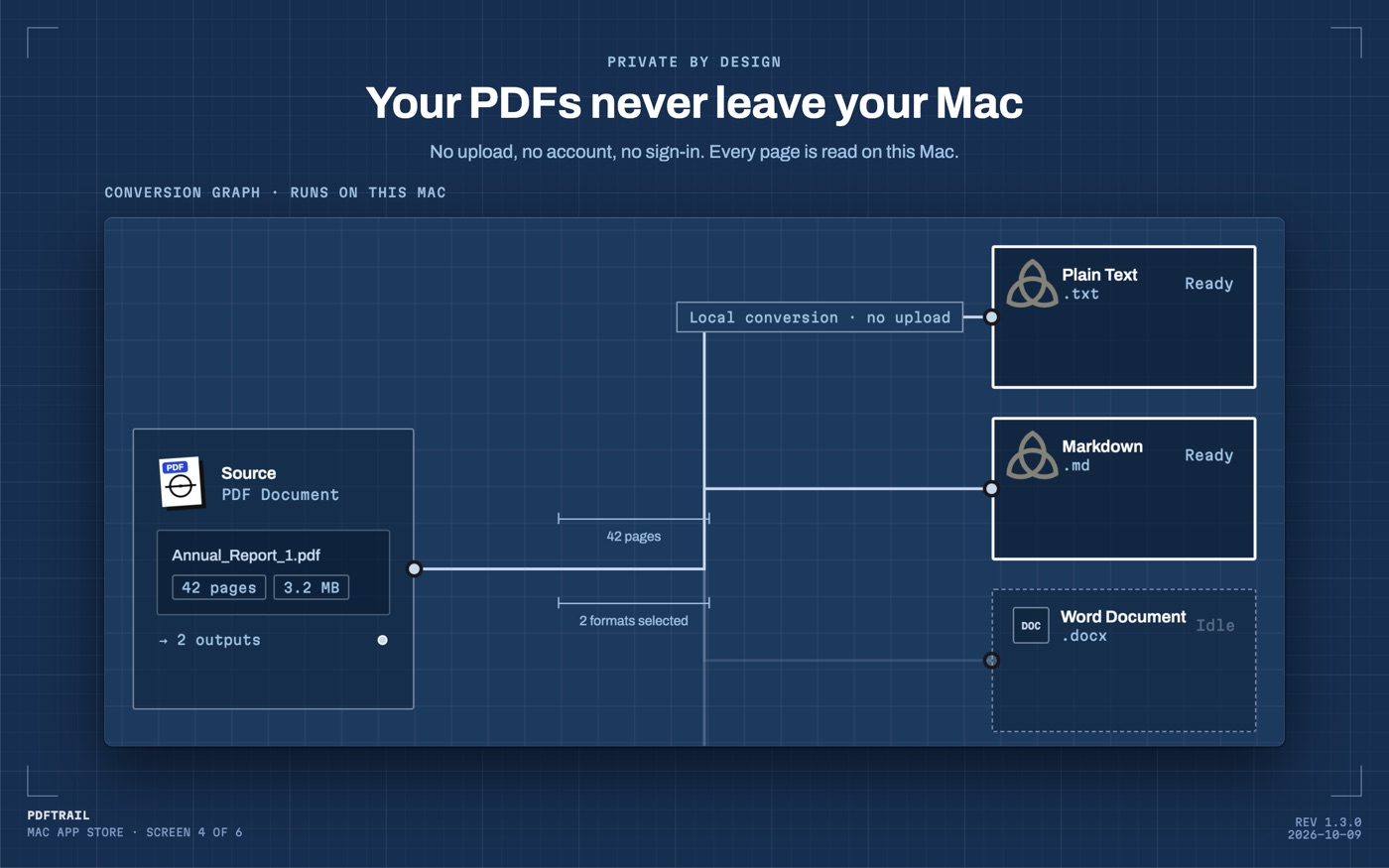
PDFTrail is my app. For a born-digital report it takes the text and each character's position from the file, then works out every table from the geometry: which fragments share a row, where the column boundaries fall. No OCR is involved. The output is a plain .md file, and a table in it is still a table.
Annual report PDF to Markdown, step by step
- Click Open PDF and choose the report. Several years go in together: select every file in the Open dialog.
- Under the output formats, choose Markdown, then convert. The .md file is there when the run ends.
- Open Table Review. It starts by itself if a page was only partly read or not read. If not, use Review tables in the toolbar. Each table sits beside its page.
- For a table that is wrong, use the grid editor. Reposition the lines, add more, or mark out the table region, then try it and save it. Pressing Accept and re-export writes the files again, and it costs no free export.
- Read the .md file before you paste anything.
You can open the files as they are, without fixing anything. I would still look at the big tables first.
Tables that cross pages
Annual reports are full of tables that do not fit on one page. A long note runs over, and the table may repeat its header on the second page. Version 1.3.0 stitches such a table into one table in the Markdown file, with a single header row. A row that the page break split is whole again.
A person can see a page break and ignore it. A model has no page to look at. If the header shows up again in the middle of the table, or a row is split in two, that is just more text to it.
Markdown or Excel for the same report
I use both on the same report. Markdown is for the model, because a model reads text. Excel is for arithmetic I want to audit cell by cell. The annual report to Excel guide covers the spreadsheet side. The PDF to Markdown guide is the wider map for the model side, and the Claude Projects post covers loading the file once you have it.
A fix you save in Table Review is kept for that PDF. It applies again the next time you convert the file, and you can tell the app to ignore it.
What I check before I paste
Open the .md in a plain text editor. Start with the longest table. Count its columns against the printed page. Check that the current-year column and the prior-year column have not swapped, because a model will not notice that for you.
Look for the line that says what the figures are measured in. If it did not travel with the table, add it by hand before you paste, or the model will guess the unit.
Then pick five figures from different pages and compare them with the PDF. Take some from the start of the report, some from the notes, and some from the last pages. If all five match, I stop worrying about the rest. If one does not, I go back to that page in Table Review.
A scanned report needs the same look, and a closer one. The pages of a scan hold pixels, so OCR runs on your Mac before anything else. OCR is good but not infallible, and a misread digit in a figure is the error a model will repeat without comment.
Paste one statement or one note at a time. Before the real question, ask the model for a number you already know from the page. If it gives you the right one, ask the question you do not know the answer to.
Back to the reason
I started this to read filings with a model, not to build a converter. The converter is what it takes to make the filing something a model can read.
A model reads what you give it. Look at what you give it.
FAQ
Can I convert several years of annual reports at once?
Yes. Click Open PDF and select all the reports in the Open dialog. Every PDF in the queue converts in one run on your Mac.
Do tables that run across pages come out as one table?
Yes. In version 1.3.0, PDFTrail joins a table that continues on the next page into one table with one header row. A row cut by the page break becomes one row again.
Does this work on a scanned annual report?
Yes. A scan has no text layer, so PDFTrail runs OCR on your Mac. OCR is good but not infallible, so check the tables in Table Review after conversion.
How much does it cost?
It is free to try, with 10 free Markdown exports. Plain text and JSON export are free with no limit. The full version is a $24 one-time unlock, no subscription.
Do I need an internet connection to convert?
No. Everything runs on your Mac. Nothing is uploaded, and there is no account.
Related guides
- PDF to Markdown on Mac: A Guide for LLM Workflows
- Convert a PDF to Markdown for ChatGPT (No Upload)
- PDF to Markdown for Claude Projects
- PDF to Markdown for NotebookLM: Cleaner Sources
Get PDFTrail
PDFTrail is on the Mac App Store — download it, try it on your own file, and pay only if it earns its keep.
GET PDFTRAIL — MAC APP STORE