
Field guide · 2026-09-26
Annual Report PDF to Excel: A Guide for Investors
My own folder of annual reports is why this app exists. I read Indian company filings for fundamental analysis, one report per company per year. Turning an annual report PDF to Excel, or to something a language model could read, was the first job I needed done, and I was not going to upload them to do it.
An annual report is a strange kind of document to work with. It runs to two or three hundred pages. The numbers an investor actually wants sit in a handful of places: the balance sheet, the profit and loss statement, the cash flow statement. The notes and schedules that explain them sit well past the halfway mark. Every year's report is a separate file, and the same tables move a little from one year to the next. A note that sat on page 88 last year might sit on page 94 this year, with an extra row added for a new accounting standard.
A PDF has no table in it, whatever year you are reading. It stores short runs of text, each pinned to a coordinate on the page, and the rows you see are an optical effect of good alignment. Select a page of the balance sheet in Preview and paste it into a spreadsheet. The current-year column and the prior-year column collapse into one string, with no marker for where one number ends and the next begins. That failure gets worse, not better, on a report this long, because you would have to fix it on every page you cared about, in every file in the folder.
Retyping a few headline numbers is fine if that is genuinely all you need. Five years of segment data across a dozen notes is a different job, and typing it by hand is where transposed digits live.
Uploading carries less weight here than it does for a bank statement. A listed company's annual report, or a US 10-K, is a public filing, built to be public. You can search and download US filings directly through the SEC's EDGAR system, reachable from the SEC's site. Nobody's account number is at risk if one page goes through a converter's server. What you lose is speed at scale. A batch of twenty reports through a one-file-at-a-time upload tool means twenty uploads, twenty waits, and twenty downloads. A 300-page filing is a heavy single file to push through a web form each time.
Annual report PDF to Excel, one folder at a time
PDFTrail is my app, built first for my own folder of filings, so weigh that as you read the rest of this. PDF to Excel on Mac covers the single-file case. For a folder of annual reports, the step that matters is batch conversion: select all the PDFs in the Open dialog and PDFTrail works through every file in one run.
- Put every year, or every company, you want into one folder.
- Click Open PDF, open the folder in the dialog, and select all the PDFs in it. Batch conversion reads each file in turn, so you are not opening report after report by hand.
- PDFTrail reads the text layer directly, since a born-digital annual report already carries positioned text. There is no OCR step and nothing to guess at.
- Check the detected tables in Table Review after the conversion. A page that needs a look brings it up unasked. For the others, press the Review tables button. This is the step to slow down on, on a document this size. Check that a note's column headers sit above the right figures, and that current-year and prior-year have not swapped places.
- Open the .xlsx files. Each report becomes its own spreadsheet, statements and schedules intact. If you fixed a table, click Accept and re-export so the files carry your fix.
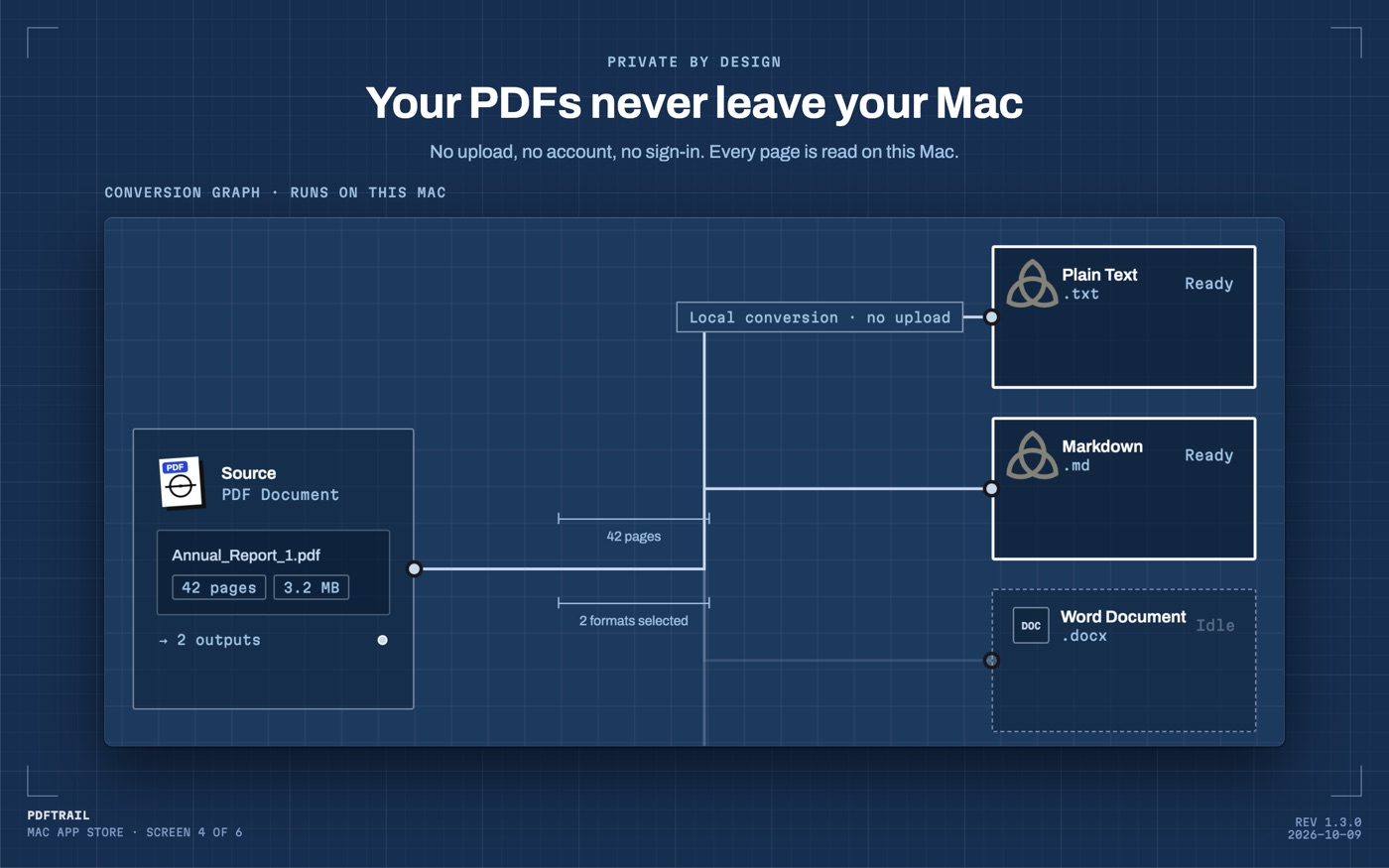
Why the tables hold up over three hundred pages
A PDF stores positioned text fragments, not tables, on page 3 and on page 230 alike. PDFTrail rebuilds each table from the geometry of those fragments: which ones share a row, where the column boundaries fall. Because a born-digital report never goes through OCR, that reconstruction does not get shakier as the file gets longer or the notes get denser. Table Review still shows every detected table next to its page, so a schedule buried on page 210 does not go missing without a trace.
Picking the tables that matter, and lining up five years
A full annual report converts to more tables than any one model needs. Most investors want four: balance sheet, profit and loss, cash flow, and whichever notes carry the numbers they are tracking, such as segment results or borrowings. In the review step, check each detected table against the page it is meant to come from. Reports often repeat a compressed version of a table in a summary section and again, in full, in the notes, and it is easy to pull the wrong one by habit.
Once each year's report is a spreadsheet, line up the same row, from the same statement, across every file. A revenue line from one year's profit and loss statement should sit next to the same line from the year before, not next to whatever row happened to land on the same sheet position. I do this by hand, row by row, the first time I build a new company's model. A line item renamed between years is common, and a formula will not catch a rename. After that first pass, the shape repeats and the check gets faster.
The Markdown route is the other path I use for the same reports. When the goal is a model to ask questions of rather than a spreadsheet to sum, PDF to Markdown on Mac is the route I take instead. It keeps the same table structure in a form a language model reads cleanly, without the sheet layer in between. I use both routes on the same folder, depending on whether I am about to open Excel or a chat window.
Back to that folder. It still sits on my Mac, one PDF per company per year, and none of it has left the machine to get read. That was the point of building this in the first place.
FAQ
Can I convert several years of annual reports at once?
Yes. Select all the PDFs from the folder in PDFTrail's Open dialog and it converts every file in one pass on your Mac, instead of one report at a time.
Does this work for US 10-K filings, not just Indian annual reports?
Yes. A 10-K is a born-digital PDF like any other, so PDFTrail reads its text layer directly and rebuilds the tables the same way.
Is it safe to upload an annual report to an online converter?
An annual report is a public filing, so the privacy risk is lower than a bank statement. Uploading one file at a time is still slow across a folder of reports.
Will the export keep the notes and schedules, not just the main statements?
The app converts whatever pages you give it. Notes and schedules come out the same way as the balance sheet, so pull in whichever pages your model needs.
Do I need an internet connection to convert a report?
No. PDFTrail reads and converts the PDF on your Mac. Nothing is uploaded and no account is needed.
Related guides
Get PDFTrail
PDFTrail is on the Mac App Store — download it, try it on your own file, and pay only if it earns its keep.
GET PDFTRAIL — MAC APP STORE