
Release notes · 2026-09-12
PDFTrail 1.2: Real Excel Tables from Scanned Pages
Version 1.2 went live on the Mac App Store. It's the release where scanned tables started coming out of Excel export looking like the tables on the page — and the release your feedback built.
Two weeks ago we launched PDFTrail on r/macapps. The thread brought exactly what an indie launch hopes for: people who actually tried the app on their own ugly documents and told us where it fell short. Several of the fixes below trace straight back to comments in that thread. Keep them coming — the fastest way to get a defect fixed is to tell us about the document that broke.
What's new in 1.2
Real Excel tables from scanned pages. When you export a scanned PDF to Excel, PDFTrail now builds the spreadsheet from the same table structure it shows you on screen, with columns lined up the way they appear on the page. Numbers that used to run together in one cell now land in separate columns.
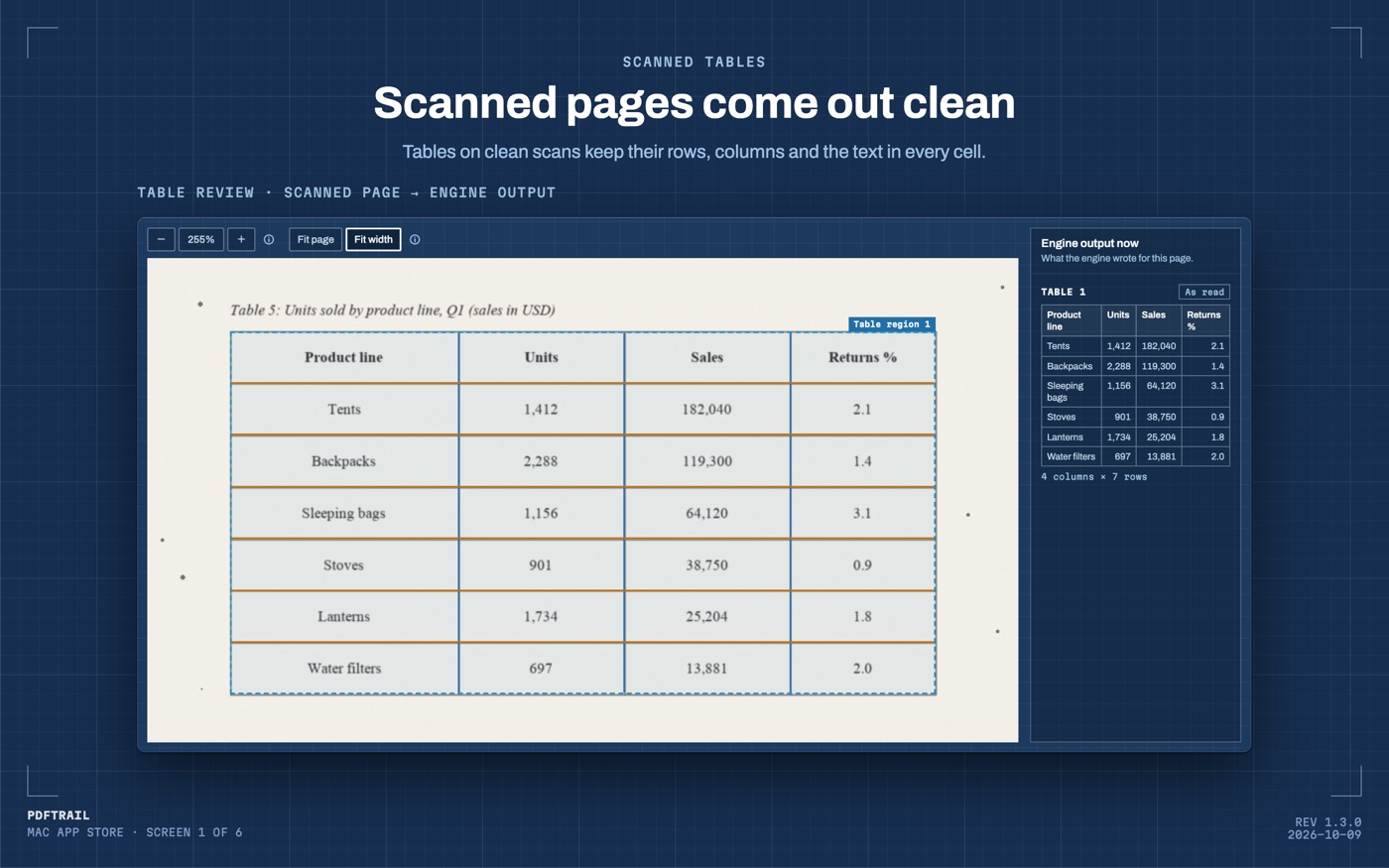
Fewer empty cells in scanned tables. PDFTrail now fills in a table cell the page recognizer left blank, using text it already found in that same spot. Row and column structure never changes — this only adds text PDFTrail already read. No guessing, ever.
Images inside text PDFs get read too. Some PDFs mix real text with an embedded image — a chart, a scanned exhibit, an infographic pasted into a report. PDFTrail now recognizes text and tables inside those embedded images instead of skipping them.
Combined Word exports are fixed. Exporting several PDFs into one combined Word document could produce a broken file. Text is now escaped correctly every time, so combined exports always open cleanly.
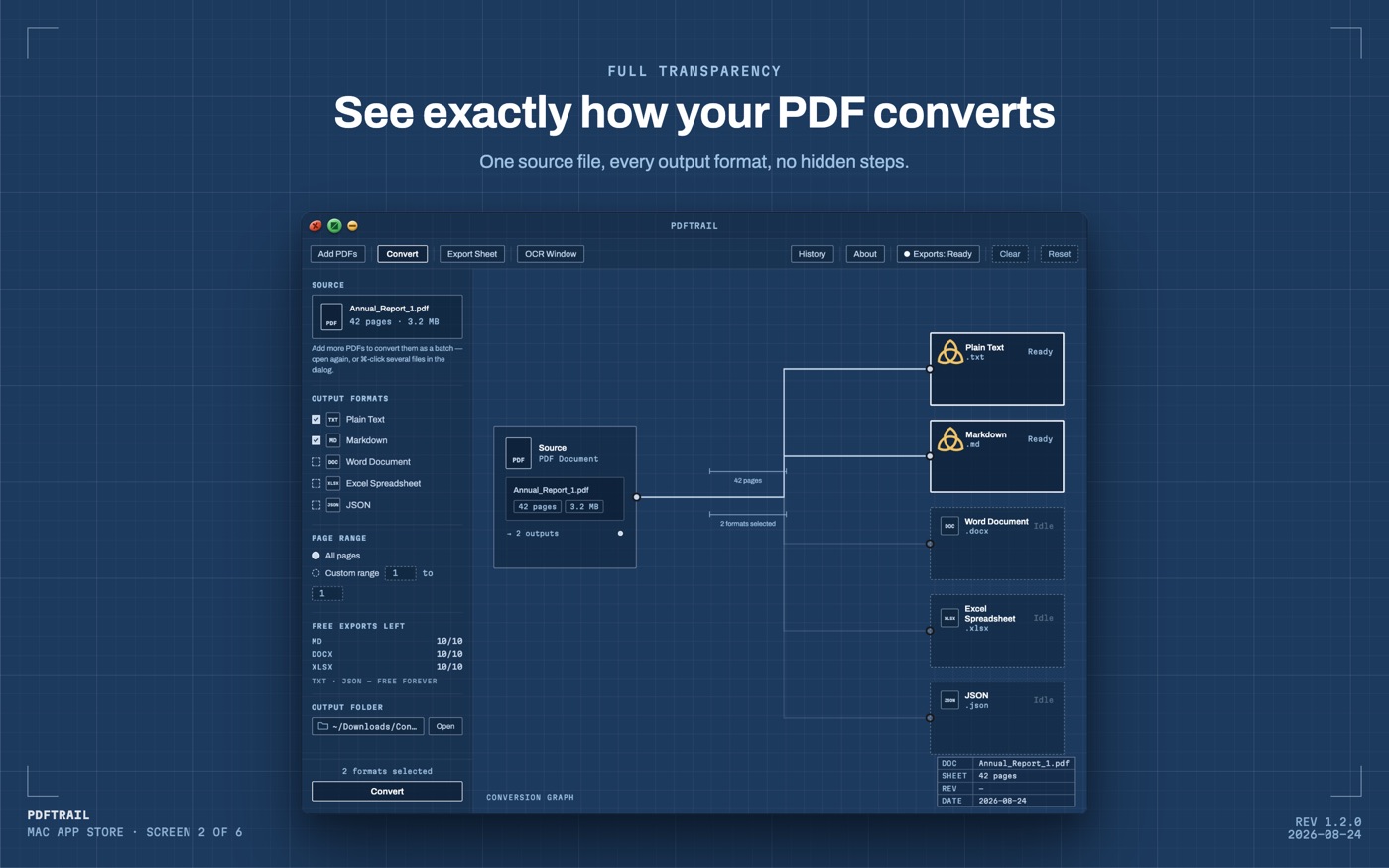
Ten free exports instead of four. Every free export counter — Markdown, Word, and full-size Excel — now starts at 10. Plain text and JSON stay free and unlimited, and nobody's existing counts were reduced.
Smaller things: batch conversions now animate each file into place as it finishes so you can watch progress; there's a sharper new app icon; and a set of under-the-hood fixes to how table headers and row structure are read on scanned pages.
What the launch thread taught us
The most useful comments were the critical ones. One user tried an invoice and told us the formatting didn't survive the trip to Word — that report kicked off a deep rework of how the engine associates rows on invoice-style documents. Another asked whether a 100-page financial report that quietly skips an unreadable page would at least tell you which pages were skipped — it didn't, and that was the right complaint: a clean-looking spreadsheet that silently omits a row is worse than an honest warning. The 1.3 release notes cover what changed after that.
That's the standing philosophy, stated plainly: when a page is too damaged to read reliably, PDFTrail skips it and says so, rather than inventing plausible-looking data. Numbers you can't trust are worse than gaps you can see.
Get it
PDFTrail is free to try on the Mac App Store — unlimited conversions, full table review, and 10 free exports each for Markdown, Word, and full Excel. One-time $24 unlock for unlimited everything. No account, no uploads, nothing leaves your Mac.
GET PDFTRAIL — MAC APP STORE